Discount codes with a use limit and an expiry date
You set the discount, what it applies to and how many times it can be used. Customers enter the code when booking online, and Librent works out the price and counts the uses.

Set the promotion rules once, in the code
Without Librent
Discounts worked out by hand
A customer writes that they have a code from a flyer. You work out 10% in your head, fix the price in the booking and hope the invoice matches.
With Librent
Customers enter the code when booking online and see the discounted price straight away.
Without Librent
A promotion that never ends
The code was meant for the first 20 bookings until the end of May. In July someone is still using it, and you don't know how many times it has gone through.
With Librent
You set a pool of 20 uses and an end date of 31 May. Once the pool runs out or the date passes, the code stops working.
Without Librent
The discount lands on the wrong items
The promotion was for kids' bikes, but the code took money off a whole cart of e-bikes.
With Librent
You tick kids' bikes in the code, and the discount applies only to them, even when the booking also has e-bikes.
Discount codes in the settings
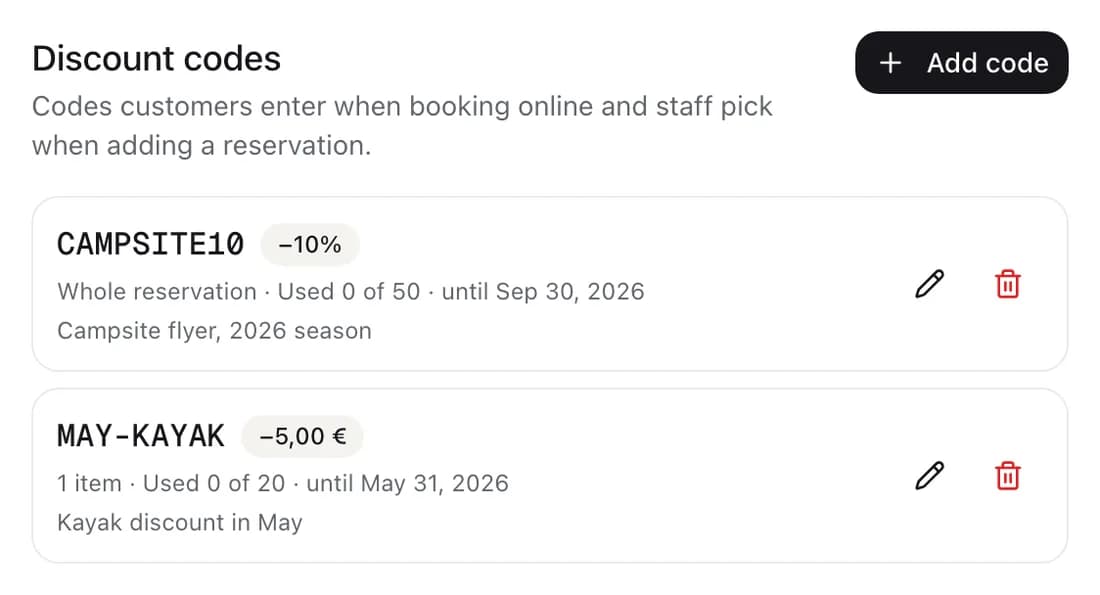
The code list
Each code shows a percentage or amount, uses against the limit and the validity dates. You know how many times the promotion has gone through.
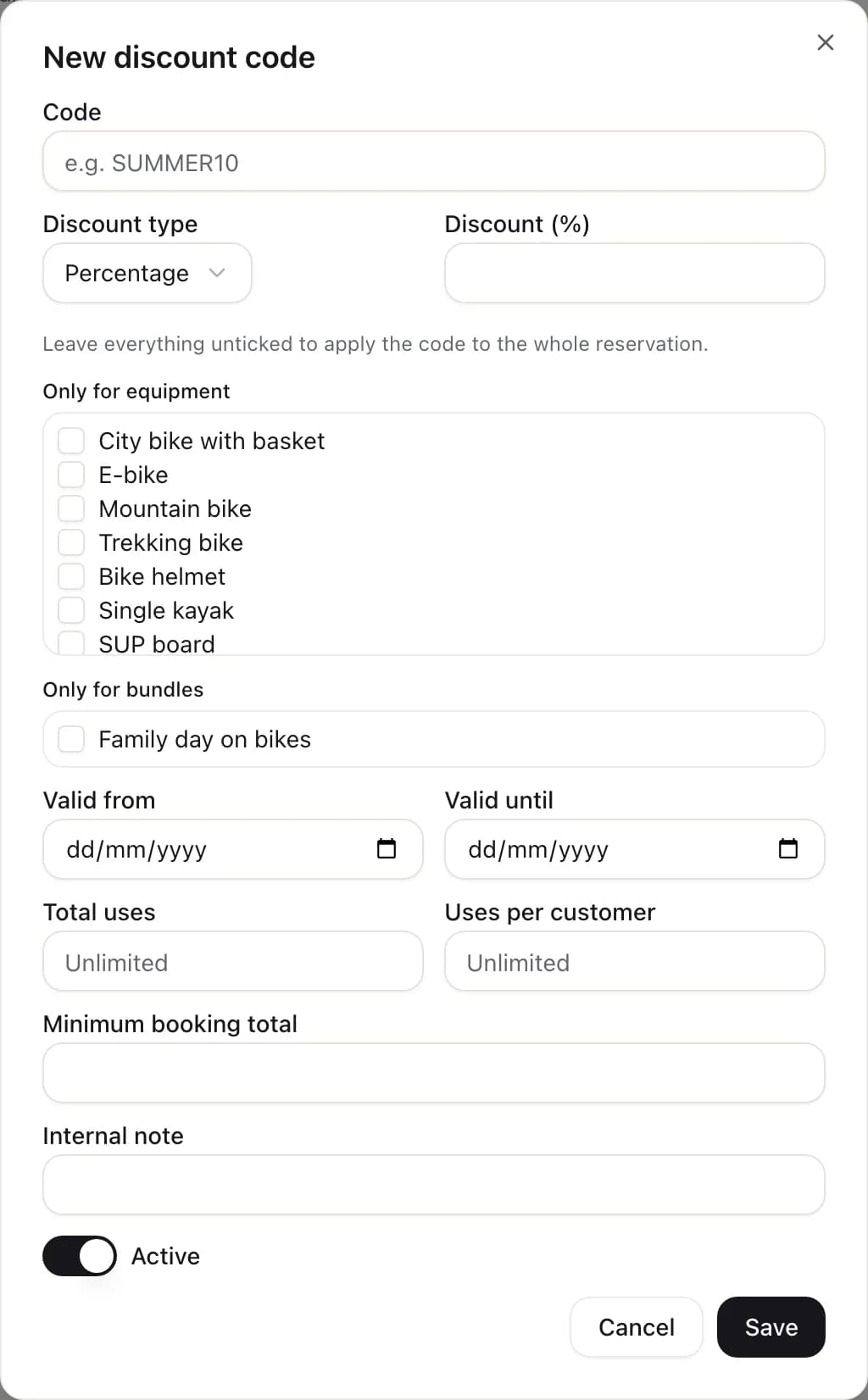
Every rule in one dialog
Discount type and value, equipment or bundles, total and per-customer limits, dates and a minimum booking value.
Every feature is included, with no add-on modules. All features
Frequently asked questions
Does the discount show on the invoice?
Yes. Line prices on the invoice are lowered in proportion, so the total matches the booking. There is no separate negative line, because some invoicing programs reject it. In agreements you can add fields with the discount amount and the code.
What if I change the dates or equipment of a booking with a code?
Librent recalculates the discount by the same rules. You can also change or remove the code when editing the booking.
Can a customer use two codes at once?
No. A booking has at most one code.
What happens to bookings when I delete a code?
They keep their discount. If you only want to pause a promotion, switch the code off with the “Active” toggle. The use count stays then too.
Create an account and set up your first discount code
Create an account and add your first equipment in minutes. No card and no subscription to start.
Get started