Invoices from reservations, without retyping
Librent connects to your invoicing software. Items, prices and the rental period go from the reservation onto the invoice, and the software numbers it, creates the PDF and sends it to the client.
- Plate compactor 90 kg · 3 daysPLN 450.00
- SDS-Max demolition hammer · 2 daysPLN 280.00
The invoice is built from what the reservation already holds
Without Librent
Retyping the items
Equipment, number of days, prices. It is all in the reservation already, and you still type it again in the invoicing software.
With Librent
Equipment, number of days and prices go from the reservation onto the invoice as separate lines, so you type nothing twice.
Without Librent
Mistakes in buyer details
A typo in the tax ID, or a company invoice issued to a private person. Then a correction and an explanation to the client.
With Librent
You see a preview before the invoice is issued, and you can limit automatic invoicing to companies with a tax ID.
Without Librent
Invoices you forgot about
The equipment is back, the client has paid, and nobody issued the invoice. You find out at the end of the month.
With Librent
Turn on invoicing when the rental ends. The invoice is created in your invoicing software and e-mailed to the client.
From reservation to invoice
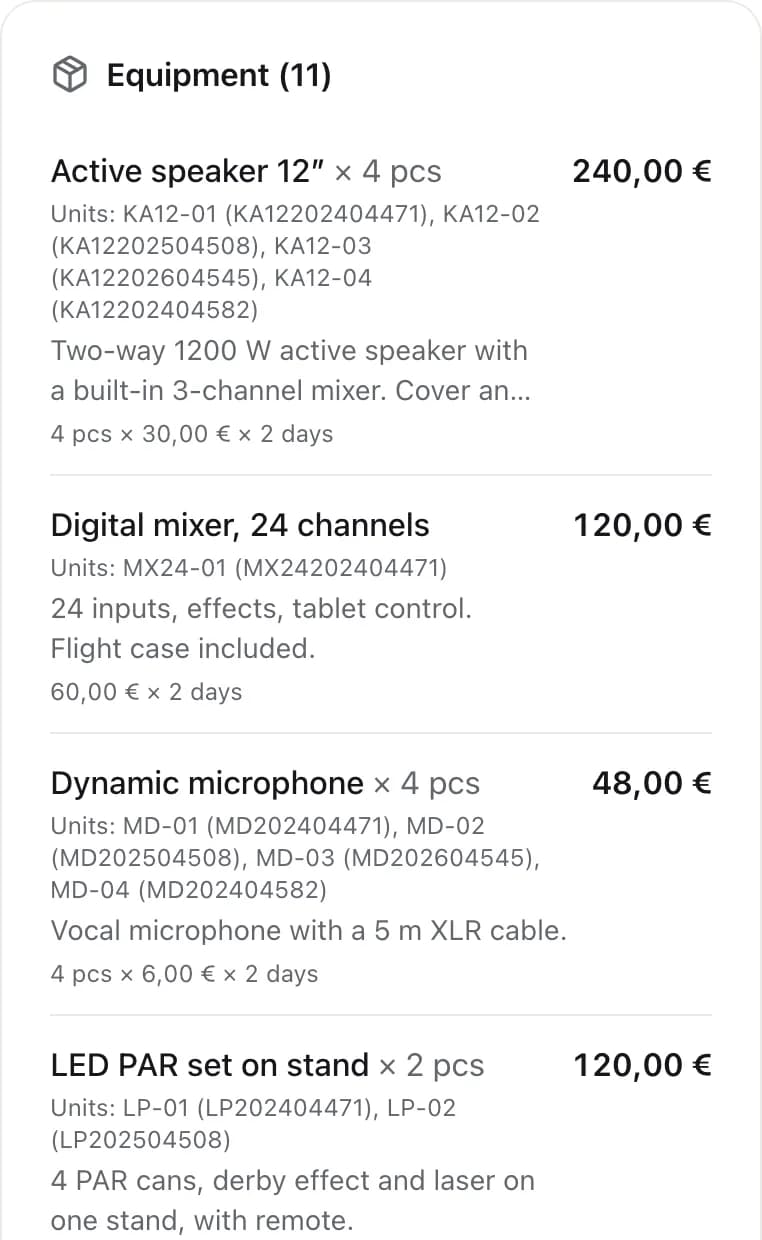
The reservation behind the invoice
Each piece of equipment shows its units, the price per day times the number of days, and the total. These rows become the invoice lines.
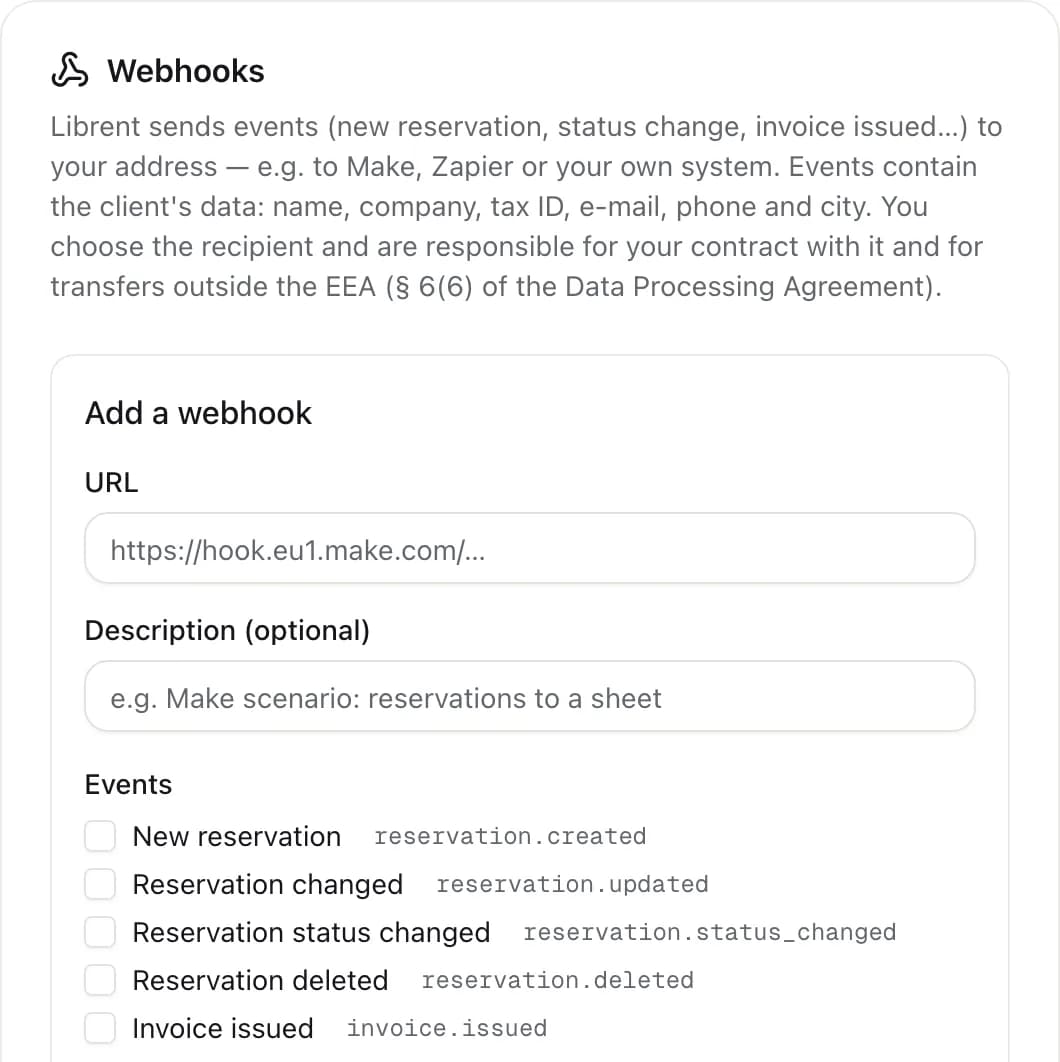
Webhooks to other systems
A new reservation, a status change or an issued invoice can go to your address, e.g. Make, Zapier or your own system. That is how you connect Librent to a service we don't support yet.
Every feature is included, with no add-on modules. All features
Frequently asked questions
Which invoicing software does it work with?
You connect your own invoicing account with an API key, and invoices are created in that account. The supported services are listed in Settings, under Integrations. We keep adding more, and if you use a different one, write to us.
What about KSeF?
Librent does not connect to KSeF. The invoice is in your invoicing account, so it reaches KSeF the same way as invoices you issue there directly.
What if my software is not supported yet?
You can send reservation data by webhook, for example to Make or Zapier, and on to another system. Also tell us which software to add.
What if I change the reservation after the invoice is issued?
The invoice stays as it is; you issue a correction in your invoicing software. A reservation with an issued invoice cannot be deleted, so the link to the document is never lost.
Issue invoices where your reservations are
Create an account and add your first equipment in minutes. No card and no subscription to start.
Get started